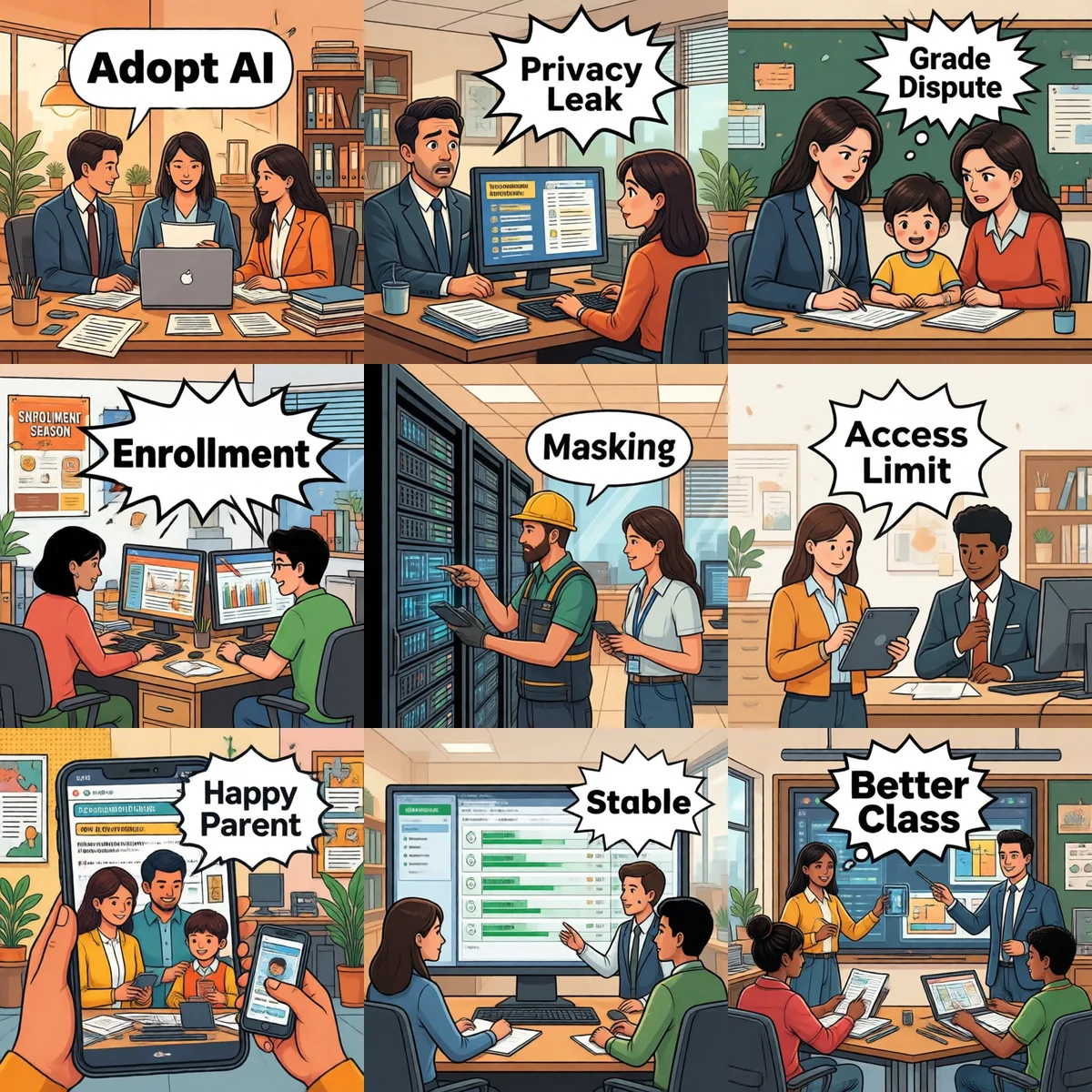
Minor privacy · Curriculum versions · Multi-campus permissions · Parent communication · AI grading · Admissions peak
2026-07-15 · Leo · 10 min read
TL;DR — Education/training AI assistants hit six unavoidable pitfalls: minor privacy compliance (special protection under most data laws), curriculum version drift, multi-campus permission sprawl, parent communication sensitivity, AI grading bias that triggers complaints, and admissions peak load. The first three are compliance floors; the last three are experience issues.
1. Minor privacy: data laws require "special protection"
Pitfall: parent asks "how's my kid doing lately?" — AI returns the full wrong-answer notebook + personality review
Most data-protection laws grant minors "special protection" — under-14s require explicit guardian consent, and sensitive data (learning / behavior / location) faces strict necessity tests. If a school or training center's AI auto-aggregates wrong-answer notebooks, personality reviews, and psychological assessments, one reply can be a compliance violation.
✅ Fix: (1) Strictly separate "guardian-visible" vs "teacher-visible" data; output filter hard-checks identity. (2) Sensitive fields (wrong answers / personality / psychology / location) default-redacted — AI returns aggregate ("last 7 days: most errors in fraction word problems"), never raw text. (3) Re-collect guardian authorization each semester, log signed version.
2. Curriculum version drift: students study 2024 textbook
Pitfall: textbook updated, AI keeps using old-version answers to grade homework
Curriculum has a special dynamic: small changes every year (question bank / case updates), major changes every 2–3 years (textbook reissue); different campuses may use different versions; teachers' personal micro-adjustments never enter the KB. If version management is loose, students write "new" answers and AI marks them wrong.
✅ Fix: (1) Curriculum KB managed by (textbook version × campus) — every answer must cite version. (2) Before AI cites material, it must check the student's campus; mismatch → refuse to answer. (3) Each semester, lead teacher reviews KB once; expired material auto-archived — never "half-new half-old".
3. Multi-campus permissions: campus A teacher sees campus B students
Pitfall: Beijing campus teacher wants "Shanghai campus top-student notes" — AI returns that student's guardian info
Chain training institutions' most common mistake: multiple campuses share one AI but the permission matrix doesn't split by campus. Any teacher can query all campuses' student files — privacy issue and commercial issue (campus poaching).
✅ Fix: three-layer permissions (campus × role × tools). Beijing math teacher → ["campus-A student file", "public curriculum"]; lead teacher → ["campus-A student file", "campus-A curriculum", "cross-campus comparison"]; principal → ["all"]. Any cross-campus query goes to the audit log.
4. Parent communication: 10pm question, AI answers at dawn
Pitfall: parent group chat asks "why no homework today?" — AI bot replies, other parents see "competitor's" details
Parent-communication AI's most sensitive issue isn't technical, it's social: (1) Group bot replies reveal other students' info → parents compare; (2) Private chat bot's tone isn't human; (3) Inconsistent bot replies feel like "going through the motions".
✅ Fix: (1) AI defaults to "silent by default" — only replies when @-mentioned. (2) Any "other kid" info gets flat refusal ("this is private, please contact the homeroom teacher"). (3) Sensitive topics (grades / ranking / psychology) escalate to human, AI doesn't answer directly. (4) Bot replies must explicitly say "I'm the AI assistant" + human-review button.
5. AI grading bias: 15-point gap on the same essay
Pitfall: parent complains "AI graded 15 points lower than the teacher" — escalates to the district education bureau
AI grading in K-12 is currently a false convenience: (1) Same exam scored twice by AI ≠ same number (temperature drift); (2) AI vs teacher can differ by 15 points; (3) Subjective items (essays / reading comprehension) carry training-data bias. Most common complaint: parent uses AI to score kid's essay, gets low score, takes it to confront the teacher.
✅ Fix: (1) AI grading is assistive only; teacher score is always final. (2) Model must use fixed seed + temperature=0 (same input, same output forever). (3) AI outputs "confidence" with each score; low confidence → "recommend teacher review". (4) Parents see only teacher score in any report — never AI score, to prevent comparison/complaints.
6. Admissions peak: 200 QPS at once, bot dies
Pitfall: admissions season (May–July) — parents all ask "how do I sign up for summer camp?" — bot looks dead for 30 minutes
Admissions season is training centers' "business peak + IT meltdown peak" doubled. Parents group chats + private DMs + website chat all hit at once; AI service QPS can't handle + IM platform rate limits (typically 100 QPS) → bot looks "down", admissions conversion drops directly.
✅ Fix: (1) Token bucket / sliding window in front of AI, cap around 80 QPS. (2) Pre-build a FAQ cache for the most common questions — "how to sign up for summer camp" returns a pre-built answer with zero LLM calls, 10× faster. (3) Two weeks before admissions season, run a stress test: marketing emails to alumni, set deadlines, smooth out the spike.
SOP: 90 days to a working education AI
W1–2: Compliance first — data law + minor protection + guardian authorization + redaction — this comes first, not second.
W3–4: Three-layer permissions — campus × role × tools; cross-campus queries go to audit log.
W5–6: Curriculum versioning — textbook version + campus, archive expired material each semester.
W7–8: High-frequency FAQ cache — enrollment / renewal / scheduling / refund — pre-built answers, no LLM at peak.
W9–10: AI grading assistive — fixed seed + confidence + never shown to parents, only teachers.
W11–12: Stress test before peak — replay historical QPS, rate-limit + smooth-out live.
🤝 School or training center thinking about AI? These 6 SOPs are the floor — how much more depends on your specifics.
📧 278946228@qq.com — usually a reply within 24 hours.
Running these problems at work?
One console for Feishu / WeCom / DingTalk / Weixin / QQ — policies on demand, no more chasing colleagues